1. You’ll need to obtain your organization’s API access key. You can find this by going to the Admin portal, Platform > Configuration > My Organization:
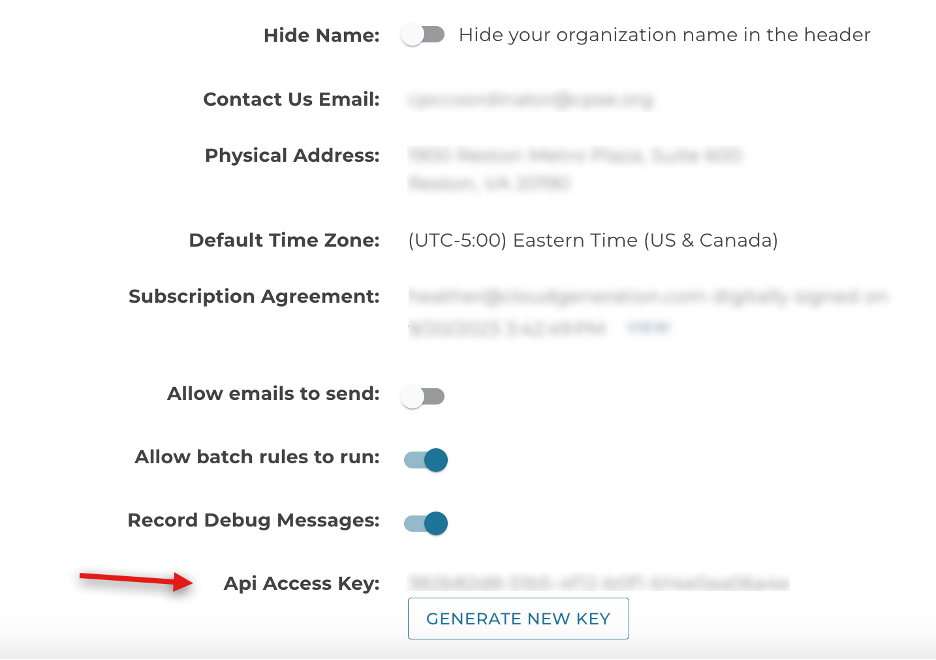
Copy the API key.
- There are two components to the Public Directory: the search and the results.
a. The Search looks like this:
-
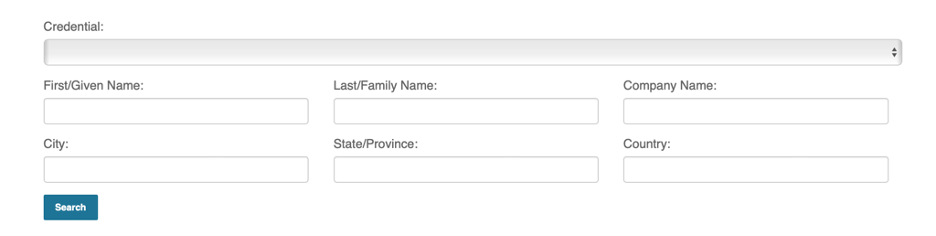
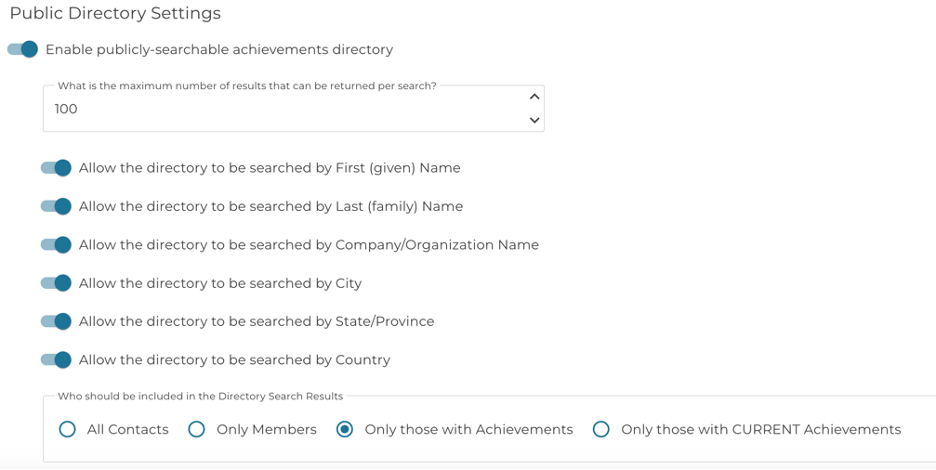
- b. You can control which search fields appear by going to Directory > Settings in your Admin portal.
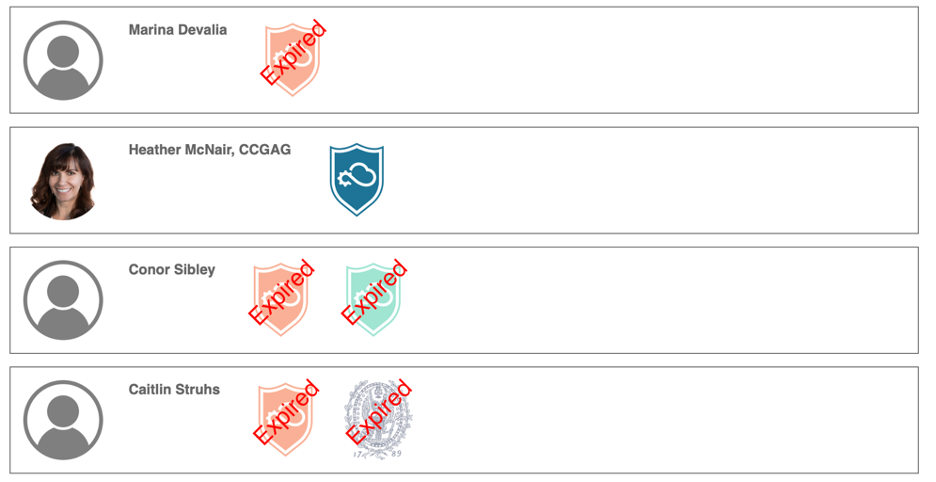
- c. The results look like this:
- 3. To embed the directory, locate the page in your website CMS where you'd like the directory to appear. In the CMS editor, embed the following JavaScript:
<script>
var CGProps = {
CGAccessKey: "[Your organization’s API key here]",
APIDomain: "api.cloudgeneration.com"
};
</script>
<script src="https://cdn.cloudgeneration.com/js/CGPublicDirectory.js?v=1">
</script>
In the HTML view of your page, the code should look something like this:
<meta http-equiv="Content-Type" content="text/html; charset=UTF-8" />
<title>Training and Education</title>
<link rel="stylesheet" type="text/css" href="https://cdn.cloudgeneration.com/css/CGPublic.css" media="all" />
<style>
.CGBadgeExpiredNotice { top: 25px; }
</style>
<h1> Directory of Certified Individuals</h1>
<p><strong> </strong></p>
<p>The following list contains the names of those individuals who currently hold a Certification. This list contains information approved for public release. If you do not wish for your name to be included in this listing, please contact us.</p>
<div id="CGAchievementSearch"> </div>
<div id="CGAchievementResults"> </div>
<script>
var CGProps = {
CGAccessKey: "[Your organization’s API key here]",
APIDomain: "api.cloudgeneration.com"
};
</script>
<script src="https://cdn.cloudgeneration.com/js/CGPublicDirectory.js?v=1">
</script>
<p> </p>
The highlighted portion is optional. In some CMS’s, the “Expired” banner placement needs to be adjusted.